From December 2024 to April 2025, I led UX and design for a rearchitecture of the Isabella Stewart Gardner Museum website.
The Gardner Museum in Boston is a quirky, beautiful treasure, but their website left something to be desired. Walking through the Museum’s Venetian-style “Palace” teleports you into Isabella Stewart Gardner’s world, where the eclectic collection remains as she had laid it out over a century ago. The website should give a taste of what it’s like to be at the Museum while prioritizing usability and clarity.
As an outside agency, my team had a limited scope for this project. Not all insights from discovery were designed for, and not all designs were built.
The Museum saw consistently high traffic, but stakeholders wanted to address common sources of confusion for first-time visitors, help visitors identify and learn about objects in the collection, and increase event sign-ups.
My team and I had the privilege of visiting the Museum for a tour and discovery workshop.
Our discovery workshop included close to 30 people, between the client and agency teams, and we were looking for a lively discussion. I arrived that morning with two exercises prepared and some idea of how we would move through them, but once I saw the meeting room, I realized we needed to break into groups and split the discussion topics. When the time came, moving between small groups and full-room discussion got us the energy and information we were looking for, while spreading out my teammates through the 4 groups meant that we collectively learned everything we needed.
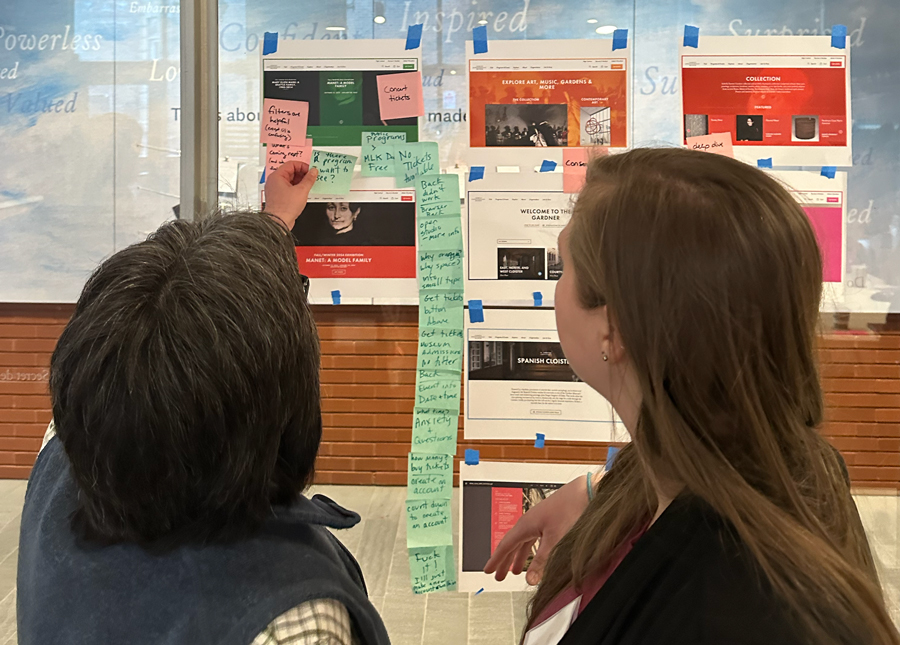
And what’s a workshop without sticky notes?
In the end, we walked away with:

I followed my typical process for redesigning the menu structure:
A value of the Museum is to be welcoming to all, regardless of background or what they know about art. As part of making content easier to find, we knew we needed to replace some insider terms, like “Programs” and “Explore,” with language that the general public would better understand. After seeing how test participants responded to a few tasks, I inferred that they didn’t understand the difference between the permanent collection and temporary exhibits. With this in mind, I revised the IA to pair “Exhibitions & Events” into a single section, followed by “Collection” in another to help site visitors understand timeliness as a primary differentiator between the two.

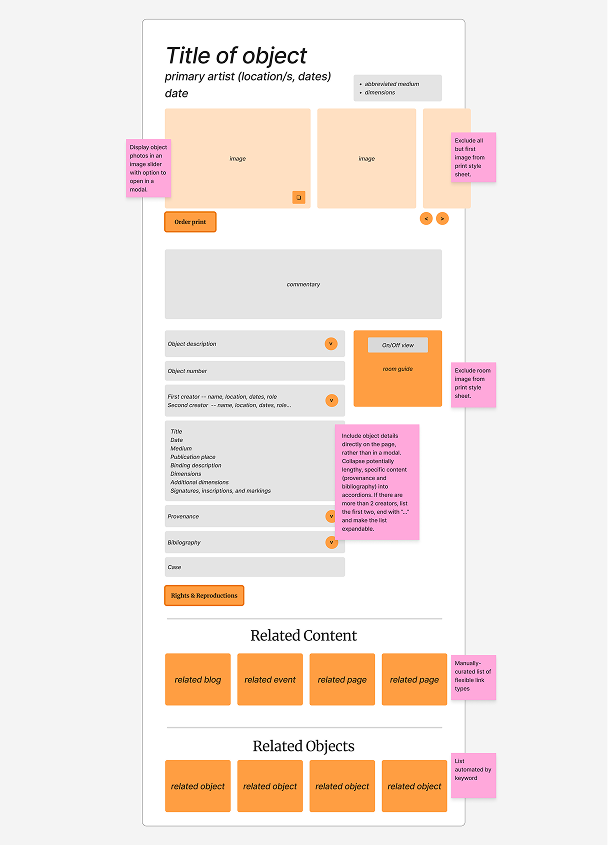
I put together a series of low-fidelity wireframes, showing just enough information for stakeholders to understand the layout and types of content; No more than labelled rectangles and annotations. This lets me move quickly and gives the client permission to provide feedback openly.
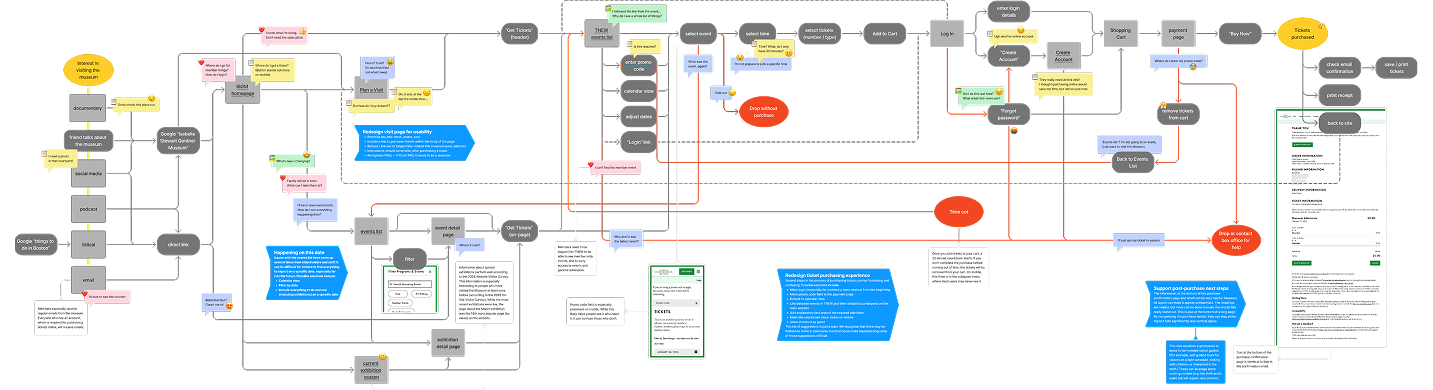
The visit page was one of my top priorities. Though it does plenty else, the website’s primary goal is to bring visitors to the museum. Although the visit page included all the information someone might need, important details were buried in large paragraphs. The most needed items — prices, hours, and location — were listed at the top of the page on desktop, but pushed to the very bottom on mobile. A detail that surprised and confused first-time visitors, that the works in the Museum aren’t labelled, was included but deprioritized in a stack of unorganized accordions. The redesigned visit page addresses these problems and more, answering users’ top questions and telling them what they didn’t know to ask. The layout is intentional, with appropriate content hierarchy and grouping.
These wireframes also let me find gaps in the content model. We didn’t add any new content types in this project, though we did remove a couple, but I identified a few areas where content types could be more structured or connect to each other. For example, the website had a lot of supplementary content about objects in the collection, so I added opportunities for referencing blog posts, events, exhibitions, and other pages from object detail pages.

Seeing the space in person explained what was truly special about this Museum that I hadn’t realized through conversations or online investigation. Step into the courtyard and you’re hit with the smell of seasonal florals and hear the trickling fountain. Every surface is filled with tiles and fabrics, famous paintings arranged with the same care as a piece of furniture. When it came time for visual styling, this texture is one piece I was especially excited to introduce.
The client asked to combine elements from two of three style tiles, then I moved into full page comps. In the end, the only pages I fully designed were the homepage and visit page, but a thorough component library paired with the wireframes gave stakeholders enough to form opinions and developers enough to build.
After launch, we saw:
These data tell us that users can better find the content that stakeholders wanted them to find, and they’re more interested in exploring and diving into it.
While some of the designs haven’t yet made it to production, stakeholders are excited to implement them in a future project. The piece that I’m most interested to see move forward is updated room guides, the pages that in-person visitors will use to identify and learn about objects as they explore the Palace. During this project, I designed an updated layout for this crucial piece of content. In a follow-up engagement, I built a working prototype using Lovable’s vibe coding tool for Museum staff to test live with in-person visitors. Participants were largely able to successfully use the prototype, and we learned a few areas for improvement. Once launched, I expect this feature to significantly improve the in-person experience.
My project manager and I co-wrote two articles sharing what we learned throughout this project, one about menu design and the other about visit pages. This website won a w3 silver award in the Cultural Institutions category.
learn what I learned (Figma)